
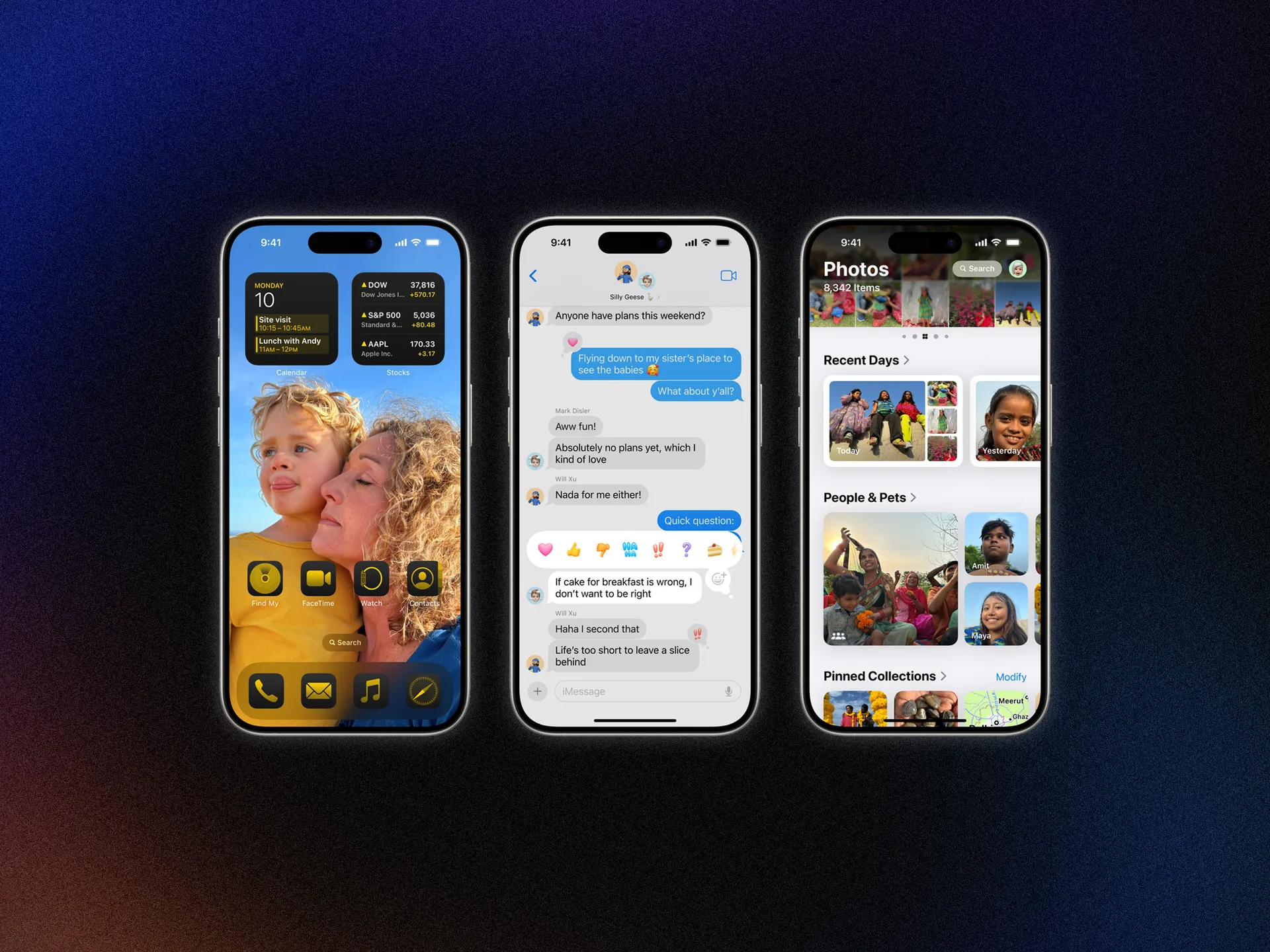
Apple executives always describe new hardware and software as the “best” or “biggest” ever, but the delivery doesn’t usually live up to the hype (see the recent iPads). However, iOS 18 and iPadOS 18 might be deserving of a few of those adjectives. The new operating systems, which are now available, have the usual degree of year-over-year quality-of-life improvements, but Apple Intelligence stole the show.
This is Apple’s implementation of artificial intelligence-powered tasks that have been sweeping through the tech industry over the past year. Even Siri is getting a much-needed upgrade—the biggest since the voice assistant’s debut 13 years ago.
Here are all the new features in iOS 18 and iPadOS 18, not to mention iOS 18.1, how to download both operating systems, and what exactly you’ll experience with Apple Intelligence.
Is Your iPhone or iPad Compatible?
Good news! Every iPhone that was capable of installing iOS 17 can run iOS 18. Apple did not drop any iPhones from the list of supported devices this year. If you have the iPhone XR and iPhone XS from 2018 or newer (including the second- and third-gen iPhone SE), you can download and run iOS 18. If you’re unsure what model iPhone you have, head to the Settings app, tap on General > About and look at the Model Name. This doesn’t mean every feature is available, as some require more modern processors (Apple Intelligence, for example, is exclusive to the iPhone 15 Pro and iPhone 16 models; more on this below).
It’s a little more complicated for iPads since the naming scheme depends on the hardware generation rather than specific device names. Here are the generations that support iPadOS 18 (unlike iPhones, some iPads are no longer supported). You can figure out which model you have by following the directions here.
- iPad: 7th gen and later
- iPad Mini: 5th gen and later
- iPad Air: 3rd gen and later (including M2)
- iPad Pro 11-inch: 1st gen and later
- iPad Pro 12.9-inch: 3rd gen and later (including M4)
Check out our Best iPhones and Best iPads guides to learn more about current models.
How to Install iOS 18
Before installing the new operating system, I highly recommend you back up your devices. You can do this via iCloud—go to Settings, tap on your name at the top, and select iCloud. Then, tap on iCloud Backup, toggle it on, and tap Back Up Now to start a new backup. On the previous iCloud page, you also have the option to toggle off certain apps that you don’t want to include in the backup. Don’t have enough iCloud storage, or want to use another method? Check out our How to Back Up Your iPhone or iPad guide for alternative options.
Once you’ve backed up, you’re ready to install iOS 18. Since this is a hefty update, you should plug your devices into a charger and ensure they’re connected to Wi-Fi before the update starts. Now go to Settings > General > Software Update. You’ll see the option to download the update. Tap Download and Install and, when the download is done, tap Install Now to start the update. You’ll know the update is complete when your device restarts.
New iOS/iPadOS 18 Version Updates
iOS 18 only just came out, but Apple has already released a developer beta of iOS 18.1. This update brings Apple Intelligence to developers, who can test-run select features. Developers can go to Settings > Apple Intelligence & Siri > Join the Waitlist to sign up. The waiting list could take a few hours, as Apple says it’s ensuring there’s sufficient server capacity. You’ll get a notification when you’ve been accepted. The official iOS 18.1 update will arrive in October.
iOS/iPadOS 18.1 (Developer Beta): If you have an iPhone or iPad compatible with Apple Intelligence (see below), developers can try out a few smart features right now, including Writing Tools, Memory Movies in Photos, Priority Messages in Mail, Smart Reply in Messages, Summaries for Transcriptions in Notes, and the new Reduce Interruptions Focus. Additionally, the new Siri is available, allowing you to type requests. It supports conversational context and more resilient request handling; you can make a mistake mid-sentence and correct yourself, and Siri will understand what you mean.